Blog / spotify pre-save
How to Get a Spotify Pre-Save Link: DistroKid, TuneCore, CD Baby, or Aulto
Learn how to get a Spotify pre-save link through DistroKid, TuneCore, or CD Baby, or explore Aulto’s omnichannel pre-save reminders.
What Is a Spotify Pre-Save Link?
A Spotify pre-save link lets fans take action before your upcoming release is available to stream. With a Spotify-authorized pre-save, fans grant the required permission so the release can be saved to their Spotify library when it becomes available.
But not every pre-save page works this way.
Some tools connect directly to Spotify. Others focus on reminding fans about release day through channels such as email, WhatsApp, or other campaign touchpoints.
If you're an independent artist, manager, or label trying to get a Spotify pre-save link, the right option depends on what you want fans to do and which features your chosen platform supports.
Here's how the main options compare.
1. How to Get a Spotify Pre-Save Link with DistroKid
DistroKid offers a promotional tool called HyperFollow, which can create a pre-save page for an upcoming release.
A HyperFollow page is automatically created for releases uploaded through DistroKid. Depending on the release and its setup, fans can use the page to pre-save the upcoming music on Spotify.
Steps to get your DistroKid pre-save link
- Upload your upcoming release through DistroKid.
- Open the HyperFollow page created for your release.
- Review the page and customize it if needed.
- Copy the link and share it with your audience.
- Check the page's available statistics to understand campaign activity.
DistroKid's release-specific HyperFollow pages can update with streaming links when the release goes live.
Best for: Artists who already distribute through DistroKid and want a pre-save page integrated into their existing release workflow.
Official resource: DistroKid HyperFollow Help Center
2. How to Get a Spotify Pre-Save Link with TuneCore
TuneCore offers promotional tools for sharing music across streaming services. However, it's important to distinguish a pre-save link from a link to music that is already available.
TuneCore's documented LinkShare feature creates a page with links to eligible stores for releases that are already live. It should not be confused with a Spotify pre-save campaign for an unreleased song.
What TuneCore artists should do
- Log in to your TuneCore account.
- Open your release dashboard and check the promotional features available to your account.
- If you need a pre-save campaign before release day, check whether a dedicated pre-save provider is available to you.
- Once your music is live, use the available store links or LinkShare page to direct fans to the release.
If your goal is to collect pre-saves before release day, make sure the service you choose explicitly supports that functionality.
Best for: TuneCore artists who need links for a live release or want to explore a separate pre-save solution for an upcoming release.
Official resource: TuneCore LinkShare
3. How to Get a Spotify Pre-Save Link with CD Baby
CD Baby documents a Spotify pre-save workflow through Show.co, a music marketing platform.
According to CD Baby's guidance, your release needs to have been submitted for distribution and delivered to Spotify before you set up the campaign.
Steps to create your CD Baby pre-save link
- Submit your release through CD Baby.
- Confirm that the release has been delivered to Spotify.
- Log in to your Show.co account.
- Select New Campaign, then Spotify Pre-Save.
- Follow the setup instructions to identify your release using the supported UPC or Spotify URI workflow.
- Complete the campaign setup and copy your pre-save link.
- Share the link through your social profiles, email campaigns, and other promotional channels.
If you cannot find your release, check its delivery status and confirm that you are using the correct release identifier.
Best for: CD Baby artists who want a Spotify-authorized pre-save through its documented Show.co workflow.
Official resource: CD Baby: How to Set Up a Spotify Pre-Save
4. Can You Create a Spotify Pre-Save Link Yourself?
Yes, you can use a dedicated music marketing platform instead of relying entirely on your distributor's promotional tools.
However, creating a pre-save page does not automatically mean the page can save music directly to a fan's Spotify library. That functionality requires a working Spotify-authorized integration.
This distinction matters when choosing a pre-save tool. Some platforms focus on Spotify-library saves, while others use pre-release reminders to help artists bring fans back when their music becomes available.
An important note about Spotify developer access in 2026
Spotify has tightened access to its developer platform. Its February 2026 changes introduced stricter limits for Development Mode apps, including a Spotify Premium requirement for the developer account and a limit of five authorized users for new apps. Extended Quota Mode remains a separate approval process.
These restrictions matter to music marketing platforms building new Spotify integrations. A service may have a working pre-save page but still be unable to offer Spotify-authorized pre-saves to the public.
For artists, the practical takeaway is to understand exactly what a provider's pre-save feature does before choosing it.
Official resources: Spotify's developer-access update · Spotify API quota modes
5. Aulto Pre-Save: An Omnichannel Approach to Release Reminders
A Spotify-library pre-save is one way to build anticipation for a release. But what if you also want to remind fans about release day and engage them beyond a single streaming platform?
That's where Aulto, a music marketing platform for artists, managers, and labels, takes a different approach.
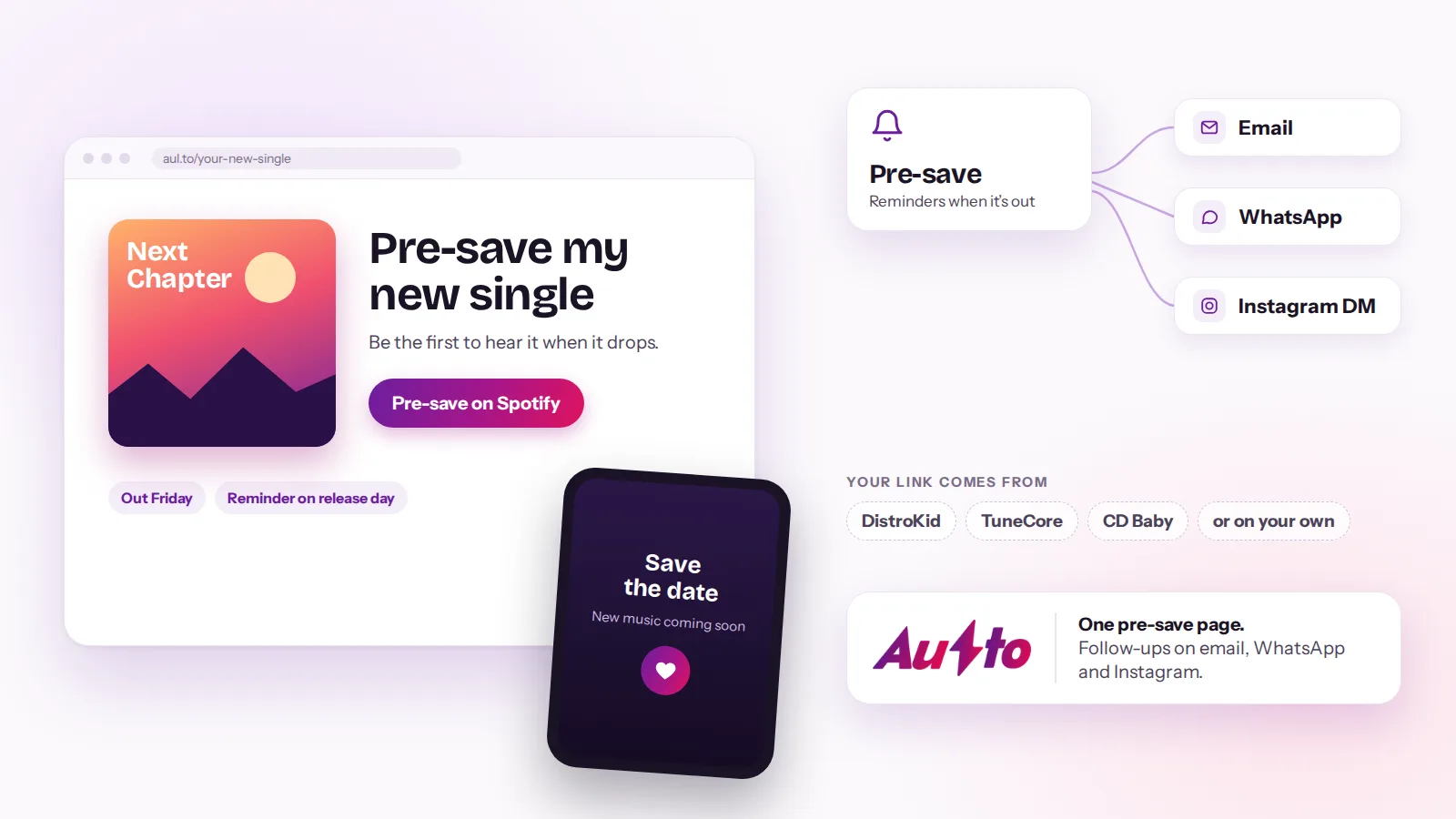
Aulto Pre-Save is designed around an omnichannel reminder experience. Rather than making Spotify authorization the central requirement, it helps artists build a pre-release campaign focused on bringing interested fans back when the music is released.
How is Aulto Pre-Save different?
Aulto's current Pre-Save feature does not save a release directly to a fan's Spotify library. Spotify-authorized pre-saves are not currently available in Aulto because restrictions on Spotify developer access have prevented the required integration from going live.
Instead, Aulto approaches pre-release promotion as part of a broader music marketing workflow.
With Aulto, artists can use:
- Pre-Save reminders: Help build anticipation for an upcoming release through an omnichannel approach.
- Smartlinks: Give fans a clear destination for music across streaming platforms.
- Bio Pages: Bring music, social profiles, and other important links together in one place.
- Fan capture: Give interested listeners a way to stay connected.
- Email and WhatsApp engagement: Reach fans through supported communication channels.
- Campaign tracking: Understand activity across supported campaign touchpoints.
- Music Release Planner: Organize the work leading up to launch.
The idea is simple: a release campaign doesn't have to end with one click. You can use reminders and other fan-engagement tools to help people return when the music becomes available.
If you're looking beyond a standalone Spotify pre-save link, explore Aulto and see how its music marketing tools fit together.
6. Which Pre-Save Option Should You Choose?
The right option depends on your distributor, your campaign goals, and the action you want fans to take.
| Platform | Best suited for |
|---|---|
| DistroKid HyperFollow | Distributor-connected release pages with Spotify pre-save functionality |
| TuneCore LinkShare | Sharing links to eligible releases that are already live |
| CD Baby + Show.co | A documented Spotify-authorized pre-save workflow |
| Aulto | Omnichannel pre-release reminders and broader music marketing; Spotify-authorized saves are not currently available |
If your priority is saving an upcoming release directly to a fan's Spotify library, choose a provider that explicitly supports that workflow.
If your priority is building a wider release campaign, consider how pre-release reminders, fan capture, smartlinks, and post-release engagement work together.
These approaches can complement one another. The important thing is to understand the difference and select the tools that fit your campaign.
7. When Should You Share Your Pre-Save Link?
Don't wait until release day to tell people your music is coming.
Once your release details and campaign page are ready, start sharing the link through your social profiles, artist Bio Page, email list, and other channels your audience already uses.
A few practical tips:
- Make the call to action clear. Tell fans what they can do through the link.
- Test the page on mobile. Make sure it loads correctly before sharing it widely.
- Check your release details. Confirm the date, artwork, and other information are correct.
- Promote more than once. Give fans multiple opportunities to discover the campaign.
- Plan beyond release day. Think about how you'll direct listeners to the music and continue engaging them after launch.
Use the Aulto Music Release Planner to organize your release timeline and campaign activities.
Frequently Asked Questions
Is a Spotify pre-save link free?
It depends on the distributor or service you use. Check the features included in your plan and any third-party provider's pricing before setting up your campaign.
Can I create a Spotify pre-save link without a distributor?
A pre-save tool does not replace music distribution. To save an upcoming release to Spotify, the music needs to be delivered to Spotify, and the chosen service must support the required Spotify-authorized workflow.
Is a Spotify pre-save the same as a smart link?
No. A Spotify pre-save is designed for an upcoming release and typically allows a fan to save it to their Spotify library through an authorized workflow. A smart link directs listeners to a release across available destinations, often after the music is live.
Does every pre-save page require Spotify authorization?
No. Some pre-release pages focus on reminders and campaign engagement rather than directly saving music to a Spotify library. Always check what the provider's feature actually does.
Can I use Aulto for a Spotify-authorized pre-save?
Not currently. Aulto's Pre-Save feature uses an omnichannel reminder approach, and Spotify-authorized library saves are not available because the required Spotify integration has not gone live.
What should I do if my distributor doesn't offer pre-saves?
Check whether your distributor supports an integration with a dedicated pre-save provider. You can also explore alternative pre-release reminder campaigns that help you build anticipation and bring fans back when your music becomes available.
Make More of Your Next Release with Aulto
Getting a pre-save link is one part of a music release campaign. The bigger opportunity is to use that early interest to build a relationship with listeners that continues after the song comes out.
Whether you use your distributor's Spotify pre-save tools or build a broader campaign with Aulto, choose the workflow that fits your goals—and make sure the page does what you promise your fans it will do.
Explore Aulto and start planning your next release with the Music Release Planner.
One link for every release
Smart links, pre-saves, a bio page and a fan list. Free for 7 days.
Start free trial