Aulto / Analytics & campaign tags
Stop guessing what's working
Every tap on your links is counted and broken down, so you can see what moved listeners and do more of it on the next release.
Why it matters
What you'll learn from your links
Clicks, broken down
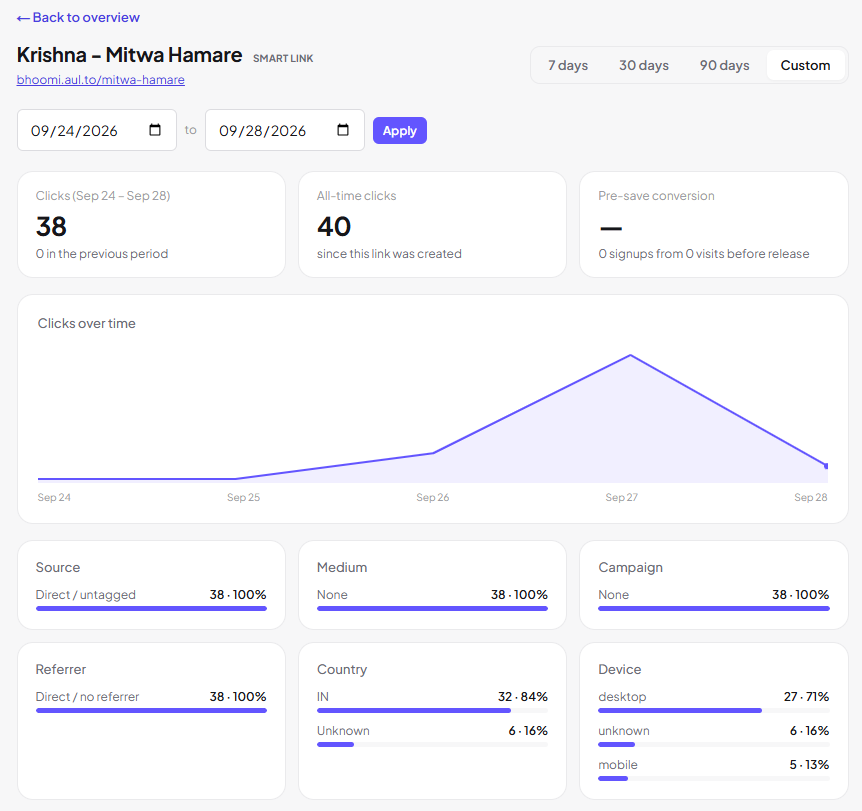
See clicks by day, source, country and device for every smart link, bio page and short link.
Campaign tags
Label each share, such as an Instagram story, a newsletter or a poster QR, and see which one pulled its weight.
Pre-save conversion
Compare visits with signups on your pre-save pages, so you know whether the page is doing its job.
One dashboard
Links, pages and fans in one place, instead of five dashboards to check.
How it works
Up and running in three steps
- 1
Tag your shares
Add a campaign tag to each place you share a link.
- 2
Watch the numbers
Open the dashboard to see clicks and sign-ups by source.
- 3
Do more of what works
Use the results to plan the next release.
FAQ
Common questions
What can I track?
Clicks on smart links, bio pages and short links, broken down by source, country and device, plus pre-save sign-ups.
What is a campaign tag?
A label you add to a link when you share it, so the dashboard can show which share sent the clicks.
Can I show these numbers to a client or label?
Yes. The breakdowns are designed to be easy to read and share.
Make your next release work harder
Start your 7-day free trial and set up your first smart link in about a minute.
Start your free trial