Aulto / Smart links
One link for every platform your music is on
Paste a Spotify or Apple Music link — or an ISRC or UPC code — and Aulto builds a branded page that sends each fan to the app they actually use.
Why it matters
What smart links do for you
Set up in a minute
Aulto finds your release on the other platforms automatically. Add or edit any link by hand, and drag the buttons into the order you prefer.
Looks like you
Your artwork, your colours, your handle. Pick a colour theme or set your own, so every release page feels like yours — not ours.
Every platform, plus the rest
Streaming apps, downloads, lyrics, merch, tickets or any custom link. Add a store from the catalog, or any URL, with your own button text.
See what happens next
Every tap is counted by source, country and device, so you know which post or playlist actually sent the listeners.
How it works
Up and running in three steps
- 1
Paste a link or code
A Spotify or Apple Music link, or an ISRC or UPC from your distributor.
- 2
Review and brand it
Check the platforms Aulto found, reorder them, and add anything it missed.
- 3
Share one link
Use it in your bio, stories, emails and QR codes. It works the same everywhere.
FAQ
Common questions
What is a smart link?
A smart link is one web link for a release. When a fan opens it, they see buttons for every platform your music is on and tap the one they use, so you share one link instead of five.
Do I need to create each platform link by hand?
No. Give Aulto a Spotify or Apple Music link, or the release's ISRC or UPC, and it looks the release up on the other platforms. You can still edit or add links yourself.
Can fans leave their email on a smart link?
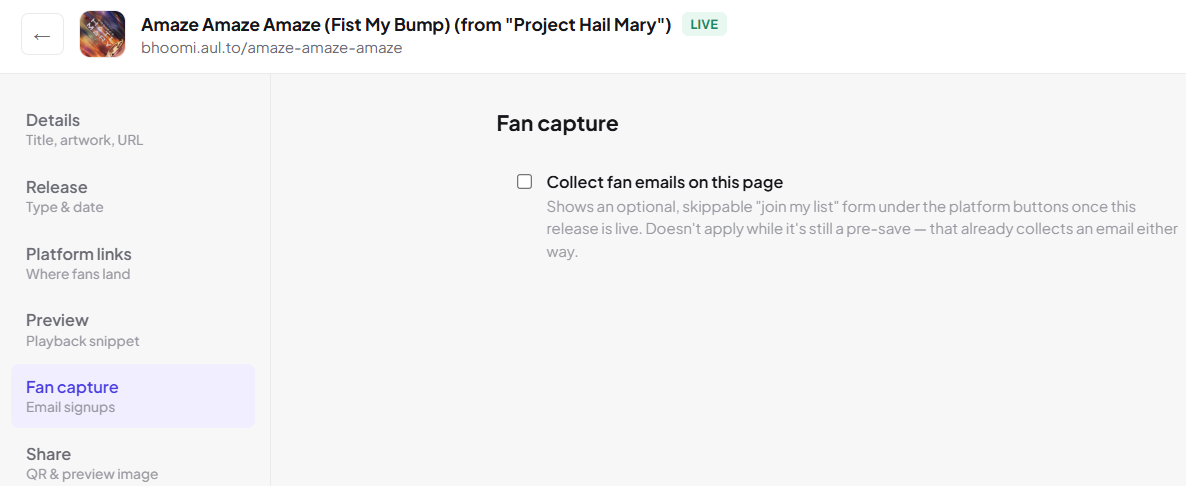
Yes. You can turn on an optional, skippable sign-up form on any release, and those fans go straight into your fan list.
Make your next release work harder
Start your 7-day free trial and set up your first smart link in about a minute.
Start your free trial